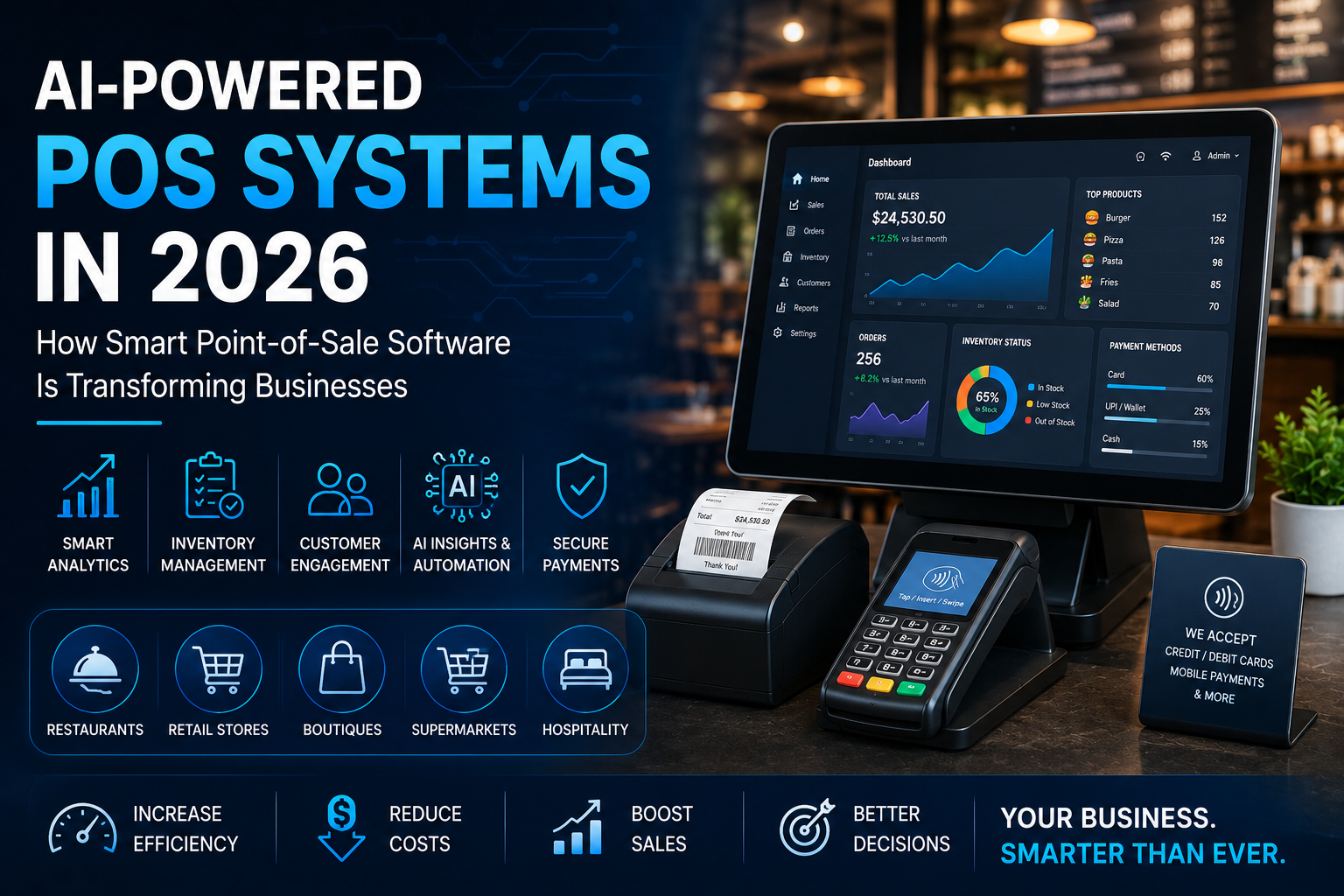
Point-of-sale software has evolved far beyond simply processing payments and printing receipts.
Modern businesses expect their POS systems to manage sales, inventory, customers, employees, reporting, payments, and business operations from a single platform. In 2026, artificial intelligence is taking POS technology even further by helping businesses turn transaction data into actionable insights and automate repetitive tasks.
For restaurants, retailers, supermarkets, hospitality businesses, and other merchants, the next generation of AI-powered POS software is becoming an important part of digital transformation.
But what exactly makes an AI-powered POS different from traditional point-of-sale software?
What Is an AI-Powered POS System?
An AI-powered POS system combines traditional point-of-sale functionality with artificial intelligence, automation, analytics, and intelligent recommendations.
A traditional POS may tell a restaurant:
“You sold 150 burgers today.”
An AI-enabled POS could potentially go further by identifying sales patterns, detecting unusual inventory changes, forecasting demand, and helping management make better operational decisions.
A modern architecture can connect:
POS → Sales Data → AI Analytics → Business Insights → Automated Actions
The goal isn’t simply to add AI to a billing application.
The goal is to make the entire business operation smarter.
Why POS Software Is Changing in 2026
Businesses are dealing with increasing amounts of operational data.
Every transaction can generate information about:
- Products
- Customers
- Prices
- Discounts
- Inventory
- Payment methods
- Sales times
- Locations
- Employee activity
- Order patterns
Traditional POS systems primarily store and display this information.
Modern POS platforms can use analytics and AI to help businesses understand what that information means.
This shift is moving POS software from a transaction-processing system toward a business intelligence and automation platform.
Key Features of AI-Powered POS Software
1. Intelligent Sales Analytics
Sales reports are one of the most important features of any POS system.
An intelligent POS can organize sales information into useful insights such as:
- Best-selling products
- Slow-moving products
- Peak sales periods
- Average transaction value
- Customer purchasing patterns
- Product combinations
- Location-based sales performance
Instead of requiring managers to manually analyze spreadsheets, intelligent dashboards can make important trends easier to identify.
2. AI-Based Inventory Forecasting
Inventory management is one of the biggest challenges for restaurants and retailers.
Ordering too much can lead to:
- Overstocking
- Waste
- Storage costs
- Expired products
Ordering too little can result in:
- Stockouts
- Lost sales
- Customer dissatisfaction
AI-powered inventory systems can analyze historical sales, product movement, and other business data to help forecast future demand.
For example:
Historical Sales + Current Inventory + Sales Trends → Demand Forecast
This can help businesses make more informed purchasing decisions.
3. Automated Reordering
Once inventory levels are monitored, a POS system can help automate replenishment workflows.
A business might establish rules such as:
If inventory falls below the minimum level → Create reorder recommendation
With appropriate integrations, the system could potentially connect the recommendation to suppliers or purchasing workflows.
Human approval can remain part of the process when required.
4. Personalized Customer Experiences
Modern POS systems can also become part of a company’s customer engagement strategy.
Depending on the business model, customer data can help identify:
- Frequently purchased products
- Previous orders
- Customer preferences
- Loyalty activity
- Visit frequency
- Promotional responses
Businesses can then create more relevant loyalty programs and promotions.
For example, a restaurant could identify customers who regularly order a particular category and provide targeted offers.
5. Smarter Restaurant POS Operations
Restaurants have particularly complex POS requirements.
A restaurant POS may need to manage:
- Dine-in orders
- Takeaway orders
- Delivery orders
- Tables
- Menus
- Modifiers
- Kitchen orders
- Staff permissions
- Discounts
- Taxes
- Payments
- Inventory
AI can add another layer of intelligence to these workflows.
For example, sales patterns could help restaurants understand which menu items perform best at different times of day.
6. Kitchen and Order Management
A modern restaurant POS can connect front-of-house operations with kitchen workflows.
The architecture might look like:
Customer Order → POS → Kitchen Display → Preparation → Order Completion → Payment
Intelligent analytics can then help identify:
- Average preparation time
- Busy periods
- Frequently delayed orders
- Popular menu items
- Kitchen workload
This information can help restaurant managers improve operational efficiency.
AI POS for Retail Businesses
Retail stores can also benefit from intelligent POS technology.
A retail POS can manage:
- Product catalogs
- Barcode scanning
- Inventory
- Discounts
- Customer profiles
- Loyalty programs
- Returns
- Multiple locations
- Employee permissions
- Sales reporting
AI can help analyze this information and identify purchasing trends.
For example, a retailer may discover that certain products are frequently purchased together.
The business could use this information to create bundles, promotions, or better product placement strategies.
Omnichannel POS Is Becoming More Important
Customers increasingly interact with businesses through multiple channels.
A merchant might sell through:
- Physical stores
- Websites
- Mobile applications
- Marketplaces
- Social commerce
- Delivery platforms
A modern POS system should ideally provide a consistent view of sales and inventory across these channels.
An omnichannel architecture can look like:
Store + Website + Mobile App + Marketplace → Central POS → Inventory + Customer Data + Reporting
This reduces the risk of disconnected systems and inconsistent information.
Cloud-Based POS Software
Cloud technology has changed how businesses access their POS systems.
Instead of keeping all business data on a single local computer, cloud-based POS platforms can allow authorized users to access information through connected devices.
Potential advantages include:
- Centralized data
- Remote reporting
- Easier updates
- Multi-location management
- Cloud backups
- Centralized inventory
- Integration with other software
For businesses operating multiple locations, centralized cloud infrastructure can be particularly valuable.
Mobile POS Systems
Mobile POS is another important development.
Businesses can use tablets and mobile devices for:
- Tableside ordering
- Mobile checkout
- Events
- Pop-up stores
- Food trucks
- Retail counters
- Queue management
Mobile POS can reduce dependence on fixed checkout terminals while giving employees greater flexibility.
Payment Integration
A modern POS system needs to work with the payment ecosystem around it.
Depending on the market and business model, POS applications may integrate with:
- Credit and debit card terminals
- Contactless payments
- Digital wallets
- Online payment gateways
- QR payments
- Gift cards
- Loyalty systems
The exact payment architecture depends on regional requirements, payment providers, and compliance obligations.
POS Security Matters
A POS system processes highly valuable business information and may interact with payment environments.
Security should therefore be part of the architecture from the beginning.
Important areas include:
- User authentication
- Role-based access control
- Secure APIs
- Data encryption
- Audit logs
- Secure payment integrations
- Regular software updates
- Network security
- Backup and recovery
- PCI-related requirements where applicable
Businesses should avoid treating security as an optional feature added after development.
Custom POS vs Off-the-Shelf POS
One of the biggest decisions businesses face is whether to purchase an existing POS product or develop a custom POS solution.
Off-the-Shelf POS
An existing POS can be useful when a business has standard requirements.
Advantages can include:
- Faster deployment
- Established features
- Lower initial development requirements
- Existing integrations
However, businesses may have to adapt their workflows to the software.
Custom POS
A custom POS system can be designed around a company’s exact processes.
This can be useful for businesses that require:
- Unique workflows
- Custom inventory management
- Specialized reporting
- Industry-specific functionality
- Proprietary integrations
- Multi-location architecture
- Custom loyalty programs
- Specialized payment workflows
- Custom mobile applications
- Integration with existing enterprise software
The decision should be based on the business’s operational requirements and long-term technology strategy.
When Should a Business Consider Custom POS Development?
Custom POS development can make sense when an existing product creates operational limitations.
For example, a company may need a POS that connects:
POS + ERP + CRM + Inventory + Mobile App + Website + Payment System
If an off-the-shelf product cannot support the required workflow, custom development may provide greater flexibility.
Businesses should also consider the total cost of ownership rather than comparing only the initial development cost.
How AI Can Improve POS Decision-Making
The biggest opportunity for AI in POS systems may not be the checkout screen.
It may be everything that happens after the transaction.
Consider this workflow:
Transaction Data → AI Analysis → Pattern Detection → Recommendation → Business Action
For example, AI could help identify:
- Products losing popularity
- Unexpected inventory changes
- Unusual sales patterns
- High-performing time periods
- Potentially inefficient promotions
- Customer purchasing trends
Managers can then use those insights to make informed decisions.
The Future of POS: From Billing System to Business Platform
The POS system of the future will increasingly become the central operating platform for many businesses.
Instead of functioning only as a cash register, a modern POS can connect:
Sales
↓
Inventory
↓
Customers
↓
Payments
↓
Employees
↓
Analytics
↓
AI
↓
Business Automation
This creates a connected ecosystem where transaction data can support broader business operations.
How to Build a Modern Custom POS System
Developing a modern POS system requires more than creating a billing screen.
A complete project may involve:
Step 1: Business Requirement Analysis
Identify the company’s workflows, users, products, locations, payment methods, and operational requirements.
Step 2: POS Architecture
Design the frontend, backend, database, APIs, integrations, and infrastructure.
Step 3: Core POS Development
Develop features such as products, orders, customers, payments, taxes, discounts, and reporting.
Step 4: Inventory Integration
Connect inventory tracking with sales and purchasing workflows.
Step 5: Payment Integration
Connect appropriate payment providers and hardware.
Step 6: Mobile and Web Applications
Create applications for customers, employees, managers, or administrators where required.
Step 7: AI and Analytics
Add forecasting, recommendations, intelligent reporting, or automation where these provide measurable value.
Step 8: Security and Testing
Test authentication, permissions, transactions, integrations, performance, and security.
Step 9: Deployment and Maintenance
Deploy the system and continuously monitor, update, and improve it.
Why Custom POS Development Can Be a Long-Term Investment
A POS system touches almost every part of a retail or restaurant operation.
A well-designed custom solution can evolve as the business grows.
For example, a company might start with:
POS + Inventory
Later add:
POS + Inventory + Loyalty
Then:
POS + Inventory + Loyalty + Mobile App
And eventually:
POS + AI + Analytics + Automation + Multi-Location Management
A scalable architecture makes this evolution easier.
Conclusion
POS software is entering a new phase.
The modern point-of-sale system is no longer simply responsible for processing transactions. It can become the central technology platform connecting sales, inventory, customers, payments, employees, analytics, and automation.
AI can make these systems even more valuable by helping businesses understand their data, forecast demand, identify patterns, and automate repetitive workflows.
For businesses with specialized requirements, custom POS development can provide the flexibility needed to build workflows around the actual business rather than forcing the business to adapt to a generic platform.
The future of POS isn’t just about faster billing.
It’s about building smarter business operations around every transaction.
Comments