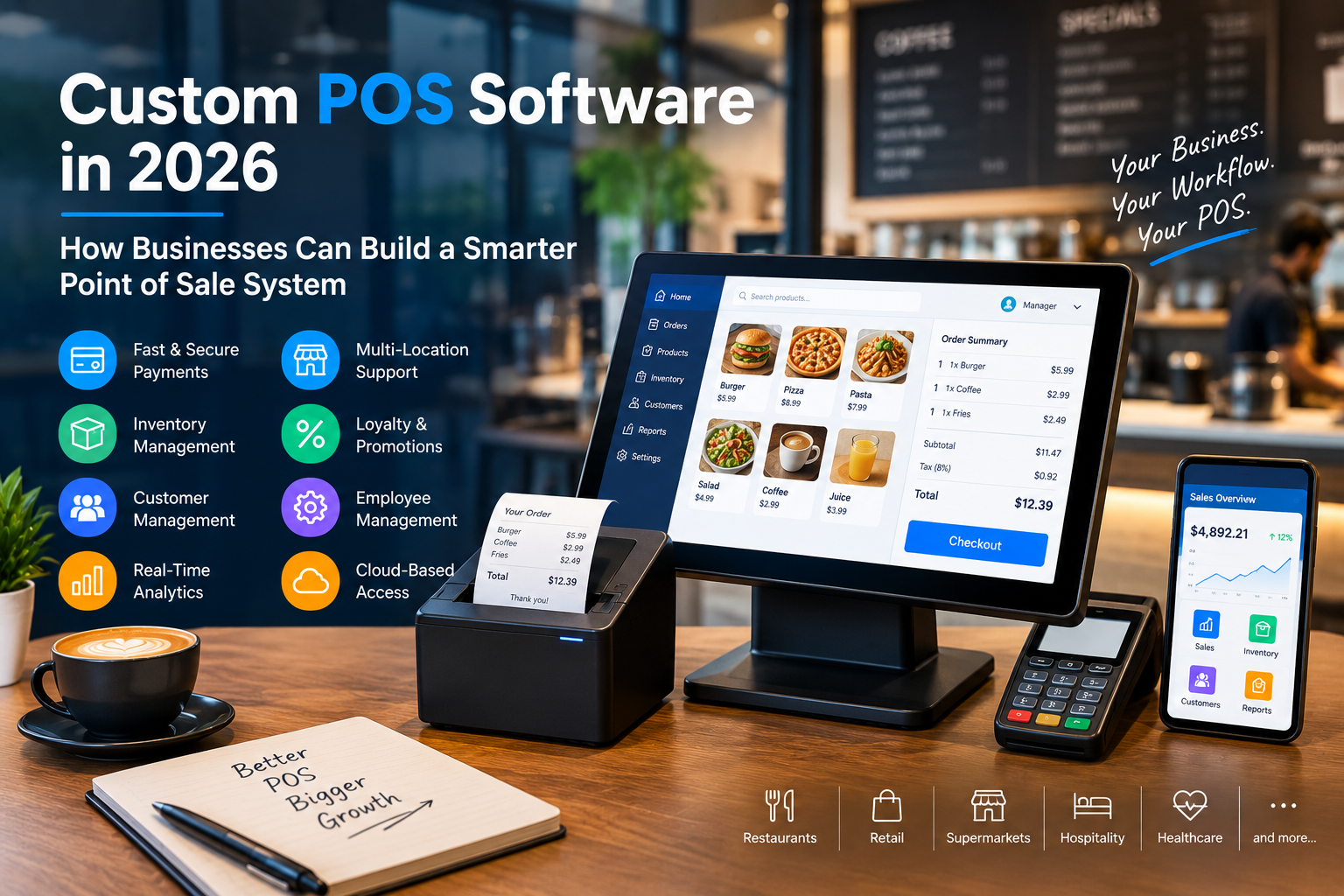
A modern Point of Sale system is no longer just a digital cash register.
Businesses today expect their POS software to handle payments, inventory, customer management, reporting, employee operations, and integrations—all from one connected platform.
That is why custom POS software development is becoming an important investment for businesses that have outgrown generic, one-size-fits-all POS solutions.
What Is Custom POS Software?
Custom POS software is a point-of-sale solution specifically designed around a business’s workflows, products, customers, employees, and operational requirements.
Unlike off-the-shelf POS systems, a custom solution can be developed with the exact features a business needs.
A custom POS can include:
- Billing and checkout
- Inventory management
- Customer management
- Employee management
- Payment processing
- Sales analytics
- Multi-location management
- Loyalty programs
- Discounts and promotions
- Tax management
- Accounting integrations
- Online ordering
- Mobile POS
- Hardware integrations
The goal is simple: make the POS work around the business instead of forcing the business to work around the POS.
Why Businesses Are Moving Toward Custom POS Systems
Every business has different operational requirements.
A restaurant may need table management, kitchen display systems, modifiers, online ordering, and delivery integrations.
A retail business may prioritize inventory, barcode scanning, product variants, loyalty programs, and multi-store management.
A healthcare or specialty business may require completely different workflows.
Generic POS platforms often provide broad functionality, but businesses may still encounter limitations when they need highly specific workflows.
Custom POS development provides greater flexibility.
Key Features of a Modern Custom POS
1. Smart Billing and Checkout
The checkout experience should be fast and simple.
A modern POS can support multiple payment methods, discounts, taxes, refunds, invoices, receipts, and customer-specific pricing.
For businesses with high transaction volumes, even small improvements in checkout speed can make a significant operational difference.
2. Real-Time Inventory Management
Inventory is one of the most important components of a modern POS system.
A custom POS can connect sales activity directly with inventory levels.
Businesses can monitor:
- Current stock
- Low-stock products
- Product variants
- Stock transfers
- Purchase orders
- Supplier information
- Inventory adjustments
- Sales performance
This helps businesses make better purchasing and stocking decisions.
3. Multi-Location Management
Growing businesses often operate multiple stores, branches, restaurants, or sales locations.
A custom POS can provide centralized management while allowing individual locations to operate independently.
Management teams can monitor sales, inventory, employees, and performance across locations from a single dashboard.
4. Customer Management and Loyalty
Modern POS systems can turn transaction data into customer insights.
Businesses can create customer profiles containing relevant purchase history and preferences.
This information can support:
- Loyalty programs
- Personalized promotions
- Reward points
- Customer segmentation
- Repeat-purchase campaigns
A POS can therefore become more than a transaction system—it can become part of the customer engagement strategy.
5. Advanced Analytics
Data is one of the biggest advantages of digital POS systems.
Custom dashboards can provide insights into:
- Daily revenue
- Best-selling products
- Slow-moving products
- Peak sales hours
- Employee performance
- Location performance
- Customer purchasing patterns
- Profitability indicators
Instead of relying on assumptions, business owners can use real-time information to make operational decisions.
Cloud-Based POS vs Traditional POS
Cloud-based POS technology has changed how businesses manage their operations.
Traditional systems may depend heavily on local infrastructure, while cloud-based platforms can synchronize information across locations and devices.
A cloud-enabled POS can provide:
- Centralized data
- Remote management
- Automatic synchronization
- Easier software updates
- Multi-location visibility
- Flexible device access
However, the architecture should also account for connectivity issues. Offline functionality and reliable synchronization can be particularly important for businesses where uninterrupted checkout is essential.
Custom POS and Payment Integration
Payment processing is another critical part of POS development.
A modern custom POS may integrate with multiple payment providers and support different payment methods depending on the target market.
Security should remain a priority throughout the payment workflow.
Businesses should carefully evaluate how payment information is handled, transmitted, and stored, while selecting appropriate payment providers and security mechanisms.
POS Hardware Integration
A POS solution isn’t limited to software.
Businesses may need the system to work with:
- Barcode scanners
- Receipt printers
- Cash drawers
- Card terminals
- Customer displays
- Kitchen printers
- Kitchen display systems
- Tablets
- POS terminals
- Label printers
Custom POS development can help connect the software with the hardware required for a particular business environment.
AI Is Changing POS Software
Artificial intelligence is becoming an increasingly interesting component of modern POS systems.
AI-powered functionality can potentially help businesses identify patterns and automate decision-making.
Examples include:
- Sales forecasting
- Inventory predictions
- Product recommendations
- Customer segmentation
- Anomaly detection
- Automated reporting
- Demand forecasting
For example, a restaurant could analyze historical sales patterns to identify periods of increased demand and improve inventory planning.
Why Custom POS Development Can Be a Better Long-Term Investment
The cheapest POS system isn’t necessarily the most cost-effective solution.
Businesses should consider the total operational impact of their POS.
A customized system can potentially reduce manual processes, eliminate unnecessary workflows, improve reporting, and integrate directly with existing business systems.
It can also evolve as the business grows.
Instead of replacing the entire platform when new requirements appear, businesses can extend the existing architecture with new modules and integrations.
How to Build a Custom POS System
A successful POS project starts with understanding the business—not with choosing a technology stack.
Step 1: Analyze Business Requirements
Identify the workflows that the POS needs to support.
Step 2: Define the Core Features
Prioritize essential functionality such as billing, inventory, payments, reporting, and user management.
Step 3: Design the User Experience
POS interfaces should prioritize speed, clarity, and minimal user interaction.
Step 4: Build the Backend
Develop APIs, databases, authentication, business logic, and integrations.
Step 5: Integrate Hardware and Payments
Connect the POS with the required payment providers and physical devices.
Step 6: Test Under Real-World Conditions
Testing should cover transactions, refunds, connectivity issues, synchronization, permissions, performance, and security.
Step 7: Deploy and Monitor
After launch, continuously monitor performance and gather feedback from employees and customers.
Industries That Can Benefit From Custom POS Development
Custom POS systems can be developed for a wide range of industries, including:
- Restaurants and cafés
- Retail stores
- Supermarkets
- Hospitality businesses
- Salons and spas
- Grocery businesses
- Pharmacies
- Specialty stores
- Franchise businesses
- Multi-location enterprises
The functionality can be adapted to the specific operational requirements of each industry.
What Should Businesses Look for in a Custom POS Development Partner?
Choosing the right development partner is critical.
Look for a team with experience in:
- POS software development
- Payment integrations
- Cloud architecture
- Mobile and web applications
- Database design
- Hardware integration
- API development
- Security
- Multi-location systems
- Long-term maintenance
The development team should also understand the business workflow rather than focusing only on technical implementation.
Final Thoughts
The modern POS system is becoming a central operating platform for businesses.
From billing and payments to inventory, customer engagement, analytics, and automation, a well-designed POS can connect multiple parts of a business through a single technology ecosystem.
For businesses with unique workflows or ambitious growth plans, custom POS software development can provide the flexibility needed to build a system that evolves with the organization.
The right POS isn’t simply the one with the most features.
It’s the one that makes your business faster, smarter, and easier to manage.
Ready to Build a Custom POS?
Whether you need a restaurant POS, retail POS, cloud-based billing system, multi-location platform, or a fully customized point-of-sale solution, the development process should begin with your business requirements.
Build the POS around your business—not your business around the POS.
Comments