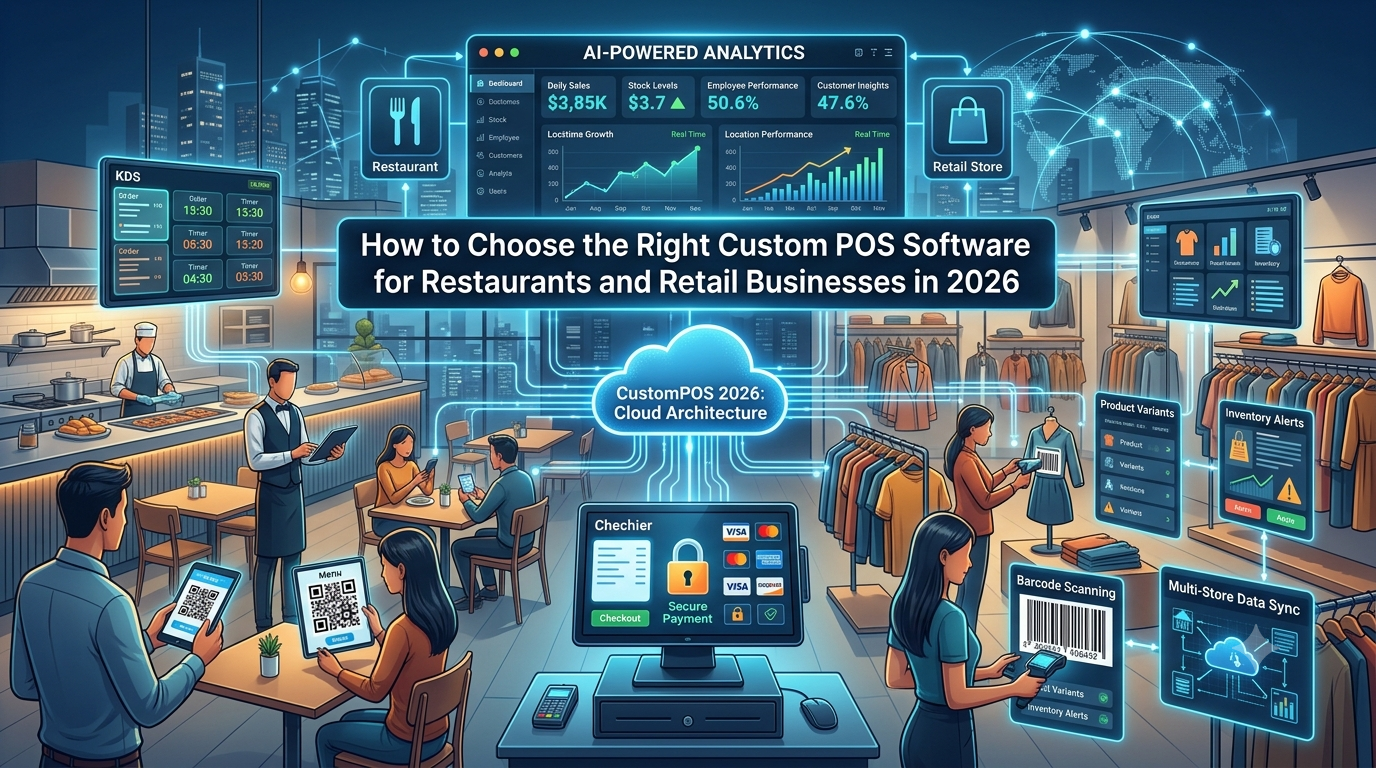
A modern Point-of-Sale system is no longer just a tool for creating bills and accepting payments.
Restaurants, cafés, retail stores, hospitality businesses, franchises, and multi-location companies increasingly need POS platforms that connect sales, payments, inventory, customers, employees, analytics, online ordering, and business operations.
This is where custom POS software development can become valuable.
Instead of forcing a business to change its workflow to fit generic software, a custom POS system can be designed around the company’s specific requirements.
In 2026, businesses are also looking beyond traditional billing. Cloud POS software, mobile POS, AI-powered analytics, integrated payments, kitchen display systems, QR ordering, inventory automation, and multi-location management are becoming important components of modern POS ecosystems.
What Is Custom POS Software?
Custom POS software is a point-of-sale application designed specifically around a business’s workflows, products, customers, employees, locations, and operational requirements.
A standard POS may provide a predefined collection of features.
A custom POS can be built around what the business actually needs.
For example, a restaurant may require:
- Table management
- Kitchen display systems
- KOT management
- Online ordering
- QR ordering
- Delivery integration
- Split billing
- Multiple payment methods
- Customer loyalty
- Ingredient-level inventory
A retail business may instead need:
- Barcode scanning
- Product variants
- Stock management
- Purchase orders
- Supplier management
- Customer accounts
- Returns
- Promotions
- Multi-store inventory
The flexibility to support different workflows is one of the major reasons businesses consider custom POS development.
Why Businesses Are Considering Custom POS Development in 2026
1. Generic POS Software May Not Match the Business
Off-the-shelf POS platforms are designed to serve broad markets.
That can work well for businesses with standard processes, but growing companies may eventually require features or integrations that are not available in their existing software.
A custom POS application development approach allows the business to define the required workflows before the technology is built.
The objective is simple:
Build the POS around the business—not the business around the POS.
2. Connected Business Operations
A modern POS can connect multiple business functions through a single ecosystem.
For a restaurant, the workflow could look like:
Customer → Order → POS → Kitchen → Payment → Inventory → Customer Data → Analytics
For retail:
Customer → Product → POS → Payment → Inventory → Receipt → Customer Profile → Reporting
Connecting these processes can reduce duplicate data entry and give management better visibility into daily operations.
3. Real-Time Inventory Management
Inventory is one of the most important areas for both restaurants and retailers.
A connected POS can synchronize sales and inventory information.
For restaurants, this can include:
- Ingredient usage
- Stock levels
- Wastage
- Purchase orders
- Supplier information
- Menu availability
- Reorder requirements
For retailers, inventory management may include:
- Product quantities
- Stock transfers
- Purchase orders
- Warehouse inventory
- Product variants
- Low-stock alerts
- Multi-store inventory
When sales and inventory data are connected, businesses can gain better visibility into how products move through the organization.
4. Kitchen Display System Integration
Restaurants have unique operational requirements.
A modern restaurant POS system can connect directly with a Kitchen Display System (KDS).
Instead of manually transferring information from the cashier or waiter to kitchen staff, orders can be routed digitally.
A typical workflow is:
Order → POS → KDS → Kitchen Preparation → Order Completion
KDS integration can support:
- Order routing
- Kitchen queues
- Preparation status
- Order prioritization
- Station-based workflows
- Order timing
- Completed-order notifications
This can be particularly useful for restaurants handling high order volumes.
5. Online Ordering and QR Ordering
Customers increasingly expect restaurants to provide digital ordering options.
A custom POS platform can integrate:
- QR ordering
- Online ordering
- Takeaway orders
- Delivery orders
- Digital menus
- Table-side ordering
- Mobile ordering
The important part is ensuring that these channels connect to the same backend.
For example:
Website Order + QR Order + Counter Order → Central POS → Kitchen → Payment → Inventory
This prevents businesses from managing each ordering channel as a completely separate system.
6. Integrated Payment Processing
Modern POS systems need to support convenient payment experiences.
Depending on the business and region, a POS platform may integrate:
- Credit and debit cards
- Contactless payments
- QR payments
- Mobile wallets
- Payment terminals
- Digital payment links
- Online payments
Payment POS software should be designed with appropriate security and integration requirements in mind.
For businesses handling payment-card data, applicable PCI DSS requirements should also be considered during system architecture and development.
7. Customer Management and Loyalty
A POS can become more than a transaction system.
It can also provide useful customer information.
A custom POS platform may include:
- Customer profiles
- Purchase history
- Loyalty programs
- Rewards
- Customer segmentation
- Personalized promotions
- Digital receipts
- Marketing integrations
For restaurants and retailers, connecting customer information with sales data can create opportunities for more personalized customer engagement.
8. Employee Management
POS software can also help businesses manage employee activity.
Potential functionality includes:
- Employee accounts
- Role-based permissions
- Shift management
- Sales tracking
- Attendance integration
- Performance reporting
- Access controls
Role-based permissions can help ensure that employees only have access to the POS functions required for their responsibilities.
9. Cloud POS Software
Cloud POS software can provide centralized access to business information and management tools.
A cloud architecture can connect:
POS Terminals → Cloud API → Central Database → Admin Dashboard
For businesses with multiple locations, this architecture can support centralized:
- Menu management
- Pricing
- Promotions
- Inventory
- Employee controls
- Reporting
- Business analytics
Cloud architecture can also make remote management easier for business owners and administrators.
10. Multi-Location POS Systems
Restaurant chains and retail businesses often need centralized control across multiple locations.
A multi-location POS system can connect:
Head Office → Store 1 → Store 2 → Store 3 → Store N
Central management can include:
- Menus
- Products
- Prices
- Promotions
- Tax settings
- User permissions
- Inventory
- Reports
At the same time, each branch can maintain the operational flexibility needed for day-to-day business activities.
Custom multi-location POS architecture is particularly useful when each location has slightly different requirements.
11. POS Analytics and Business Intelligence
A modern POS should provide more than a basic sales total.
A business dashboard can provide information about:
- Daily sales
- Best-selling products
- Slow-moving products
- Peak business hours
- Payment methods
- Discounts
- Inventory movement
- Employee activity
- Customer purchasing patterns
- Location performance
These insights can help managers understand what is happening across their business.
12. AI-Powered POS Software
Artificial intelligence is becoming an important part of modern POS development.
An AI-powered POS system can potentially analyze historical business data to identify patterns and generate useful recommendations.
Possible applications include:
Demand Forecasting
AI can analyze historical sales and seasonal patterns to help estimate future demand.
Inventory Forecasting
Businesses can use data-driven predictions to identify potential inventory requirements.
Sales Analysis
AI can identify trends across products, locations, time periods, and customer segments.
Customer Insights
AI can analyze purchasing behavior to support personalized promotions and loyalty strategies.
Operational Recommendations
AI can potentially identify unusual sales patterns, busy periods, and other operational signals.
The value of AI comes from connecting it with actual business data—not simply adding a chatbot to a POS interface.
Custom POS for Restaurants
Restaurant POS development requires a different approach from general retail POS development.
A restaurant may need to manage:
- Tables
- Menus
- Modifiers
- KOT
- Kitchen displays
- Dine-in orders
- Takeaway orders
- Delivery orders
- Reservations
- Split bills
- Discounts
- Tips
- Customer loyalty
- Ingredient inventory
- Multiple payment methods
A restaurant POS can therefore become a central operating platform connecting the front of house, kitchen, management, inventory, payments, and customer systems.
Custom POS for Retail Businesses
Retail businesses have different requirements.
A retail POS software platform may include:
- Barcode scanning
- Product catalog
- Product variants
- Inventory management
- Purchase orders
- Supplier management
- Customer accounts
- Returns
- Discounts
- Promotions
- Loyalty
- Multi-store management
- Sales analytics
For retailers operating multiple stores, centralized inventory and reporting can be especially important.
POS Integration Services
Businesses rarely operate with POS software alone.
A POS may need to integrate with:
- Payment gateways
- Accounting software
- CRM systems
- ERP platforms
- eCommerce stores
- Delivery platforms
- Loyalty applications
- Inventory systems
- Customer-support software
- Business intelligence platforms
This is where POS integration services become important.
A well-designed integration layer can allow different systems to exchange data without forcing employees to enter the same information multiple times.
Enterprise POS Software
Large organizations may require enterprise POS software with advanced capabilities such as:
- Multi-location management
- Centralized administration
- Advanced permissions
- Enterprise reporting
- API integrations
- Inventory synchronization
- Payment integrations
- Customer management
- Cloud infrastructure
- Security controls
- Custom workflows
Enterprise POS development should focus on scalability and maintainability from the beginning.
How to Build a Custom POS System
A typical POS system development process can include:
Step 1: Business Requirement Analysis
Identify the company’s workflows, users, locations, products, payment methods, and integrations.
Step 2: POS Architecture
Design the application, API, database, cloud, hardware, and integration architecture.
Step 3: UI/UX Design
Create interfaces for cashiers, servers, managers, administrators, and customers.
Step 4: Core POS Development
Develop billing, order management, product management, payment processing, and other core functionality.
Step 5: Integrations
Connect payment gateways, accounting systems, inventory platforms, eCommerce systems, delivery services, and other required applications.
Step 6: Testing
Test the system across real-world workflows, devices, network conditions, and user scenarios.
Step 7: Deployment
Deploy the POS environment and configure the required cloud, hardware, security, and monitoring systems.
Step 8: Maintenance and Scaling
Continue improving the platform as business requirements change.
How Much Does Custom POS Software Development Cost?
There is no single price for custom POS software development.
The cost depends on factors such as:
- Number of platforms
- Number of locations
- POS features
- Mobile application requirements
- Cloud architecture
- Payment integrations
- Hardware integrations
- Inventory complexity
- Third-party integrations
- AI functionality
- Security requirements
- Reporting requirements
- Development timeline
A simple single-location POS can have very different requirements from a multi-location enterprise POS platform.
What Should You Look for in a POS Software Development Company?
When selecting a POS software development company, businesses can evaluate technical experience across:
- Custom POS development
- Restaurant POS development
- Retail POS software
- POS application development
- Payment integrations
- Inventory management
- Cloud POS software
- Multi-location POS systems
- Mobile POS
- Kitchen display systems
- QR ordering
- Customer loyalty
- Analytics
- AI-powered POS solutions
- API integrations
- Enterprise software development
The development team should understand the business workflow rather than focusing only on individual POS features.
Why CustomPOS Developers?
CustomPOS Developers focuses on developing customized POS technology for businesses with specific operational requirements.
Potential solutions include:
- Restaurant POS systems
- Custom billing software
- Restaurant management systems
- Kitchen display systems
- Inventory management
- Table management
- QR ordering
- Payment integrations
- Online ordering
- Multi-location POS
- Customer loyalty
- Analytics dashboards
- AI-powered POS solutions
The goal is to create a connected POS ecosystem that brings together billing, payments, inventory, customers, kitchen operations, online ordering, analytics, and business management.
Frequently Asked Questions
What is custom POS software development?
Custom POS software development involves creating a point-of-sale platform around the specific workflows, features, integrations, and operational requirements of a business.
What is the difference between custom POS and off-the-shelf POS?
Off-the-shelf POS software provides predefined functionality for a broad customer base. Custom POS software can be designed around the specific requirements of an individual business or organization.
Can a custom POS support multiple locations?
Yes. A custom multi-location POS system can provide centralized management of products, pricing, inventory, employees, promotions, and reporting across multiple branches.
Can restaurants integrate online ordering with POS?
Yes. Online ord
Comments