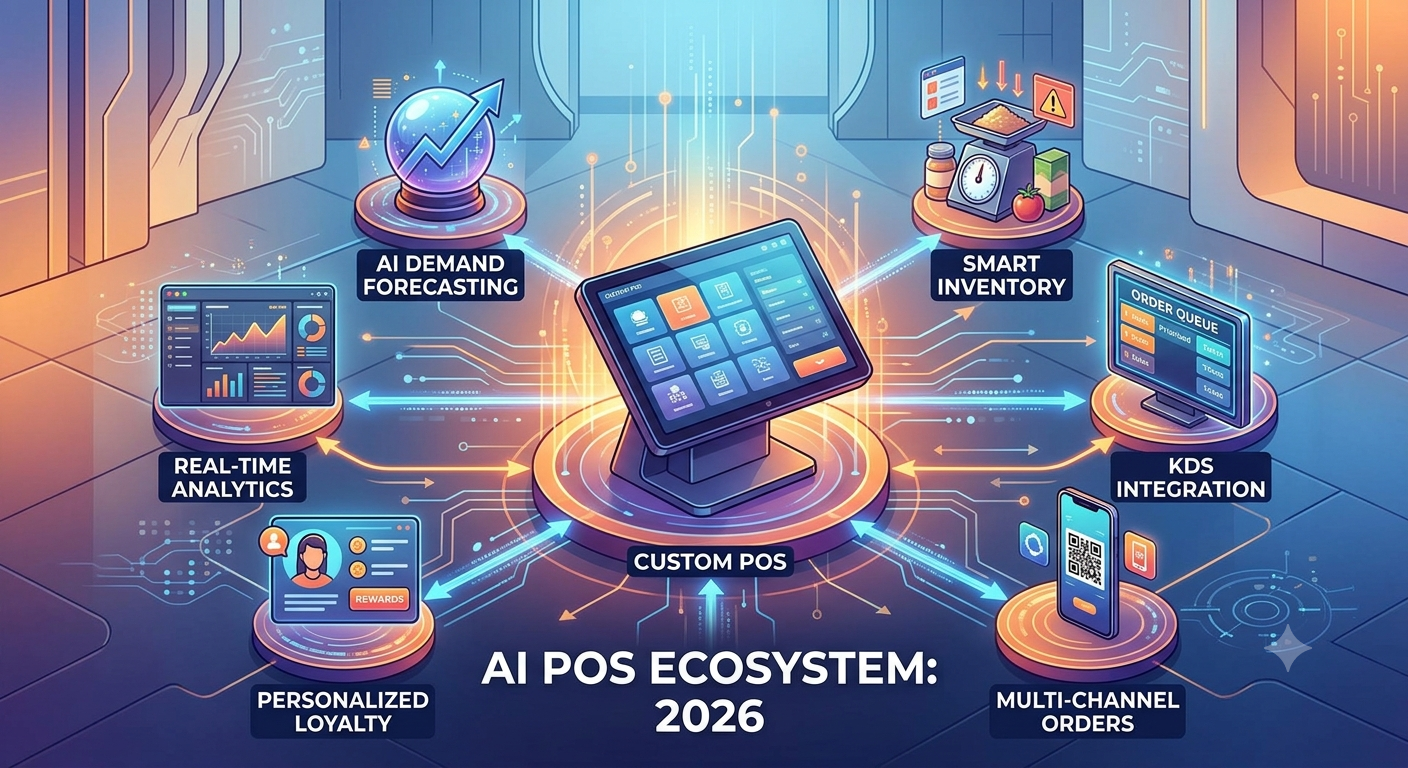
The restaurant industry is becoming increasingly technology-driven. Customers expect faster ordering, flexible payment options, personalized experiences, and accurate service, while restaurant owners need better control over inventory, staff, sales, and operating costs.
This is where AI-powered POS systems are becoming increasingly important.
Modern restaurant POS software is no longer limited to billing and payment processing. A smart POS system can connect ordering, kitchen operations, inventory, customer data, online orders, payments, and analytics into one centralized platform.
In 2026, restaurants are moving toward intelligent POS solutions that can analyze business data, automate repetitive tasks, and provide actionable insights.
What Is an AI-Powered POS System?
An AI-powered POS system combines traditional point-of-sale functionality with artificial intelligence, analytics, automation, and connected digital tools.
A traditional POS may primarily handle:
- Order processing
- Billing
- Payment collection
- Receipt generation
- Basic sales reporting
An AI-enabled POS can go further by helping restaurants:
- Predict product demand
- Identify popular menu items
- Analyze customer purchasing patterns
- Detect unusual sales activity
- Optimize inventory
- Recommend menu items
- Automate reports
- Improve staff workflows
- Analyze restaurant performance
The result is a POS platform that acts not only as a transaction system but also as a business intelligence and automation platform.
Why Restaurants Need Smarter POS Software in 2026
Restaurant margins can be tight. Small inefficiencies in food inventory, staffing, ordering, or payment processing can quickly affect profitability.
A modern POS system can help restaurant owners gain better visibility into daily operations.
For example, instead of manually checking which menu items are selling best, restaurant managers can use POS analytics to identify trends.
Instead of discovering that ingredients are running low after an item becomes unavailable, connected inventory management can provide earlier warnings.
Instead of reviewing multiple systems separately, restaurant owners can access important operational information from a centralized dashboard.
Key Features of Modern Custom POS Software
1. AI-Powered Sales Analytics
Restaurant owners generate large amounts of transaction data every day.
An intelligent POS can analyze:
- Daily sales
- Hourly sales
- Product performance
- Average order value
- Customer purchasing patterns
- Peak business hours
- Location performance
- Payment trends
This information can help restaurant managers make better operational decisions.
2. Smart Inventory Management
Food waste and stock shortages can directly affect restaurant profitability.
A modern POS can connect sales data with inventory information to provide better visibility into ingredient consumption.
For example, if a particular menu item becomes more popular, the system can help restaurant managers understand the potential impact on ingredient requirements.
Inventory features can include:
- Stock tracking
- Low-stock alerts
- Purchase management
- Ingredient-level tracking
- Waste monitoring
- Supplier management
- Inventory reports
3. Demand Forecasting
One of the most useful applications of AI in restaurant POS software is demand forecasting.
Historical sales data can be analyzed to identify patterns related to:
- Weekdays
- Weekends
- Holidays
- Seasonal demand
- Promotions
- Special events
- Customer behavior
This can help restaurants prepare inventory and staffing more effectively.
4. Kitchen Display System Integration
A restaurant POS should not operate in isolation.
Integration with a Kitchen Display System (KDS) can help connect front-of-house ordering with kitchen operations.
A typical workflow can look like:
Customer Order → POS → Kitchen Display → Food Preparation → Order Ready → Customer
This reduces reliance on handwritten tickets and helps kitchen staff prioritize orders.
For high-volume restaurants, cafés, QSRs, hotels, and cloud kitchens, efficient kitchen communication can significantly improve order management.
5. QR Code Ordering
QR ordering has become an important part of modern restaurant technology.
Customers can scan a QR code, browse the menu, place an order, and potentially make payment without waiting for traditional table-side ordering.
A custom POS platform can connect QR ordering directly with:
- POS
- Kitchen
- Inventory
- Payment gateway
- Customer database
This creates a more connected ordering experience.
6. Online Ordering Integration
Restaurants increasingly operate across multiple sales channels.
Orders may arrive from:
- Restaurant websites
- Mobile applications
- QR menus
- Online ordering platforms
- In-store POS
- Delivery channels
A centralized restaurant POS can help bring these orders into one operational system.
This can reduce manual order entry and improve visibility across different sales channels.
7. Multi-Location Restaurant Management
Restaurant chains often need centralized control while allowing individual locations to operate independently.
Custom POS software can support:
- Multiple locations
- Centralized reporting
- Location-level inventory
- Staff management
- Menu management
- Pricing controls
- Branch performance analytics
Management teams can compare locations and identify which branches are performing better.
8. Customer Loyalty and Personalization
POS data can also support customer engagement.
Restaurants can use customer purchase information to build loyalty programs and personalized campaigns.
Features may include:
- Loyalty points
- Digital coupons
- Customer profiles
- Purchase history
- Personalized offers
- Birthday rewards
- Membership programs
AI can further help identify customer preferences and purchasing patterns.
AI and Restaurant POS: Real-World Use Cases
The combination of AI and POS software creates several opportunities for restaurant operators.
Predictive Inventory
The system can analyze historical sales patterns to help estimate future ingredient requirements.
Menu Performance Analysis
AI-powered analytics can identify high-performing and low-performing menu items.
Personalized Recommendations
Customer purchase patterns can be used to support personalized recommendations.
Automated Reporting
Instead of manually preparing spreadsheets, restaurant managers can receive automated business summaries.
Anomaly Detection
Unusual transaction patterns can potentially be identified for further review.
Staff Planning
Sales patterns can help managers understand busy periods and make better staffing decisions.
Why Custom POS Development Can Be Better Than One-Size-Fits-All Software
Every restaurant operates differently.
A small café may need a simple billing and inventory system, while a restaurant chain may require centralized management, multiple locations, kitchen integration, online ordering, loyalty programs, and advanced analytics.
A custom POS solution can be designed around specific business requirements.
Custom development can provide flexibility across:
- Restaurant workflows
- Hardware
- Payment systems
- Third-party integrations
- Reporting
- User roles
- Inventory processes
- Customer loyalty
- Mobile applications
- Cloud infrastructure
This makes custom POS development particularly valuable for growing restaurant businesses.
Cloud-Based POS vs Traditional POS
Cloud-based POS systems provide restaurant owners with greater flexibility because business information can be accessed through connected devices and centralized platforms.
A cloud POS can support:
- Remote reporting
- Centralized data
- Automatic updates
- Multi-location management
- Cloud backups
- Real-time analytics
- Integration with online systems
However, restaurants should also consider internet reliability, security, offline functionality, and data protection when selecting their POS architecture.
Payment Security Is Critical
A restaurant POS handles sensitive transaction information, making security an essential consideration.
A modern POS platform should consider:
- Secure payment integrations
- User authentication
- Role-based access
- Data encryption
- Secure APIs
- Audit logs
- Regular security testing
- PCI DSS requirements
Security should be considered from the beginning of the POS development lifecycle rather than added later.
The Future of Restaurant POS Software
The next generation of restaurant POS platforms will increasingly connect multiple technologies.
A future restaurant ecosystem could look like:
POS + AI + KDS + QR Ordering + Online Ordering + Inventory + Payments + Loyalty + Analytics
Instead of treating each component as a separate system, restaurants can build a connected technology environment.
This can give restaurant owners a more complete view of their business while helping employees spend less time on repetitive administrative tasks.
How CustomPOS Helps Build Modern Restaurant Technology
CustomPOS focuses on developing POS solutions for businesses that need more than basic billing software.
A modern custom POS platform can be designed for:
- Restaurants
- Cafés
- Hotels
- QSRs
- Cloud kitchens
- Retail businesses
- Restaurant chains
- Multi-location businesses
Solutions can combine billing, inventory, kitchen management, QR ordering, online orders, customer management, analytics, and integrations into a unified platform.
Final Thoughts
The role of restaurant POS software is changing rapidly.
In 2026, a POS system is no longer simply a cash register. It can become the central technology platform connecting orders, payments, inventory, kitchens, customers, employees, and business intelligence.
For restaurant owners planning their next technology investment, the focus should be on building a scalable POS ecosystem that can adapt as the business grows.
With AI, automation, cloud technology, analytics, and connected ordering becoming increasingly important, custom POS development can help restaurants create smarter and more efficient operations.
Looking to build a custom restaurant POS system?
A well-designed POS platform can help bring your restaurant’s billing, inventory, kitchen, ordering, payments, and analytics together in one intelligent solution.
Comments